The Workshop · Story 01
How to Create a Cinematic AI Image
A simple beginner’s guide to building a prompt one decision at a time.
We will shape one image from a small idea into a finished scene. No secret vocabulary—just seven clear choices.
Begin at the worktable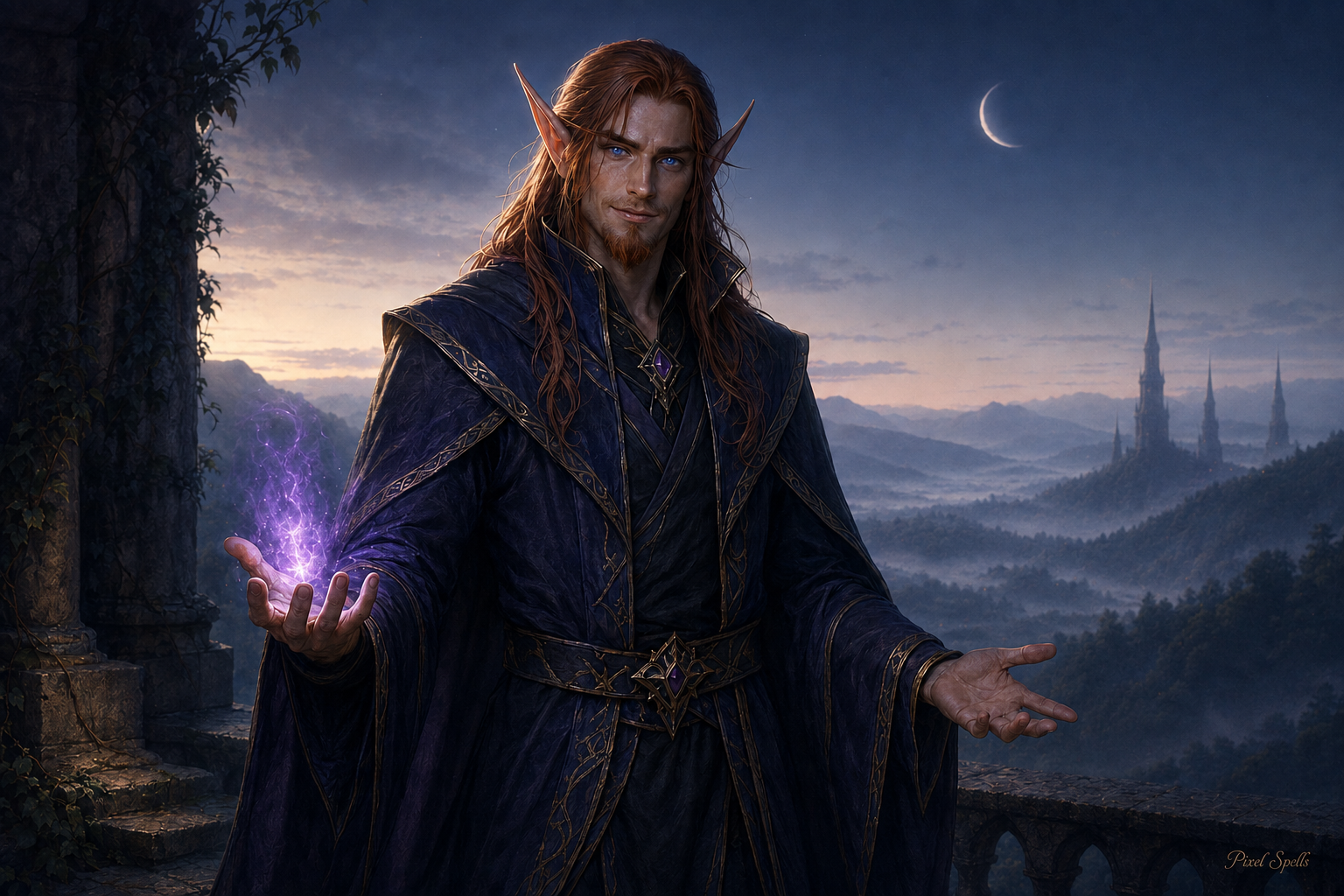
A simple prompt formula
One scene · Seven decisions
Build from the center outward.
Each choice gives the next one something useful to hold on to.
Step 01
Start with the idea
Every image begins with one simple sentence. Do not solve everything yet—just name the moment you want to see.
Add this choiceA cinematic fantasy blood elf at dusk.
The first sparkStep 02
Choose the main subject
Give the eye one clear place to land. A specific subject, expression, and action create a stronger focal point.
Add this choiceOne male blood elf shadow priest, calm and self-assured, holding a single amethyst light.
One clear focusStep 03
Build the scene
Place the subject somewhere meaningful. A few well-chosen surroundings suggest a whole world without filling every corner.
Add this choiceOn a quiet weathered stone overlook above a mist-softened enchanted valley, with a few distant elven spires and one crescent moon.
A world around himStep 04
Add composition and camera language
Tell the image how it should feel to look at. Framing, viewpoint, and depth can turn a description into a shot.
Add this choiceMedium-wide, eye-level framing with a natural 50mm lens feel, layered depth, and soft shallow focus.
Shape the shotStep 05
Add lighting and mood
Light carries the emotion. Choose one main light, a simple color relationship, and the feeling you want to leave behind.
Add this choiceSoft antique-gold rim light, violet-blue dusk ambience, and gentle haze—mysterious, warm, and welcoming.
Give it feelingStep 06
Refine and simplify
A stronger prompt is not always a longer prompt. Keep what supports the image, remove what competes with it, and protect the focal point.
Add this choiceStrong focal hierarchy, simplified environment, clean textures, realistic anatomy—no extra characters, crowded props, ornate armor, or visual clutter.
Less, but better
Step 07 · Final prompt and finished image
Bring the choices together.
The final prompt is simply the clearest version of the decisions we already made.
The polished prompt
Cinematic fantasy realism, one adult male blood elf shadow priest on a quiet weathered stone overlook above a mist-softened enchanted valley at blue hour. Lean athletic build, long auburn-copper hair, refined reddish goatee, luminous blue eyes, and dark indigo tailored robes with restrained antique-gold trim, holding one subtle amethyst magical light. Medium-wide eye-level framing with a natural 50mm lens feel, layered foreground, middle ground, and distant elven spires, with soft shallow depth of field. Antique-gold rim light, violet-blue dusk ambience, and gentle haze; mysterious, warm, and welcoming. Strong focal hierarchy, simplified environment, smooth clean textures, realistic anatomy, no extra characters, crowded props, ornate armor, or visual clutter. Tiny elegant “Pixel Spells” signature in the bottom-right.